Vape Prank Simulator1.3
Publisher Description
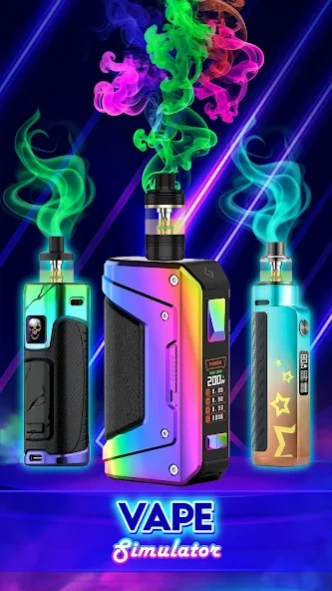


Have a chill with virtual smoke from this realistic Vape 'N Pod Simulator app!
😜 Let's hang out and real-chill with Vape Simulator: Virtual Smoke - The most realistic app simulates Vape 'n Pod tricks for vape lovers!
😎 You love vaping and create cool tricks with your e-cigarettes but you don't have one or worry it can affect you health? You are really into amazing vape trick compilation online and want to try doing it? This virtual vape application is all you need!
🎉 Join the ever-growing world of Vape Simulator, be a vape master and the fun will never stop!
▪ Smooth, responsive and simple to use virtual vape pen
▪ New skins and features updated monthly
⚡ But this Vape Simulator app has more in store for you! If you're a guns lover, prepare to be blown away by our VIRTUAL GUN sounds feature. Experience the rush of firing an extensive selection of real guns, pistols, tazers, bombs,.... The lifelike sounds and realistic sensations will leave you feeling like a true marksman, all while ensuring the safety around you.
📱 Embrace the laughter, impression and excitement with Vape Simulator: Virtual Smoke - A must-have smoking & guns game app! DOWNLOAD NOW and let the vape adventure begin!
About Vape Prank Simulator
The company that develops Vape Prank Simulator is Era Global Publishing. The latest version released by its developer is 1.3.
To install Vape Prank Simulator on your Android device, just click the green Continue To App button above to start the installation process. The app is listed on our website since 2024-12-24 and was downloaded 29 times. We have already checked if the download link is safe, however for your own protection we recommend that you scan the downloaded app with your antivirus. Your antivirus may detect the Vape Prank Simulator as malware as malware if the download link to com.rofi.vape.simulator.realsmoking is broken.
How to install Vape Prank Simulator on your Android device:
- Click on the Continue To App button on our website. This will redirect you to Google Play.
- Once the Vape Prank Simulator is shown in the Google Play listing of your Android device, you can start its download and installation. Tap on the Install button located below the search bar and to the right of the app icon.
- A pop-up window with the permissions required by Vape Prank Simulator will be shown. Click on Accept to continue the process.
- Vape Prank Simulator will be downloaded onto your device, displaying a progress. Once the download completes, the installation will start and you'll get a notification after the installation is finished.
